Step-by-step guide
How to get a Course Plan
Get a personalised learning path built by an expert, straight from your Resumere dashboard. This guide walks through every screen — signing in, opening Course Plan, submitting your goals, paying from your credits, and following your plan.
Course Plan is a human-built learning path. A real career expert looks at where you are and where you want to go, then recommends courses matched to your goals in a sensible sequence — with a private chat for questions. You start it in a couple of minutes from inside your dashboard. Here's what to click, screen by screen.
What this guide covers
- Where Course Plan lives in your dashboard
- What to tell the expert so the path fits your goal
- How you pay — and what counts as a credit
- What your expert sends back, and where to find it
01Sign in to your dashboard
Go to your Resumere account and sign in. If you don't have an account yet, create one for free — you only pay when you submit. Once signed in you'll land on your dashboard.
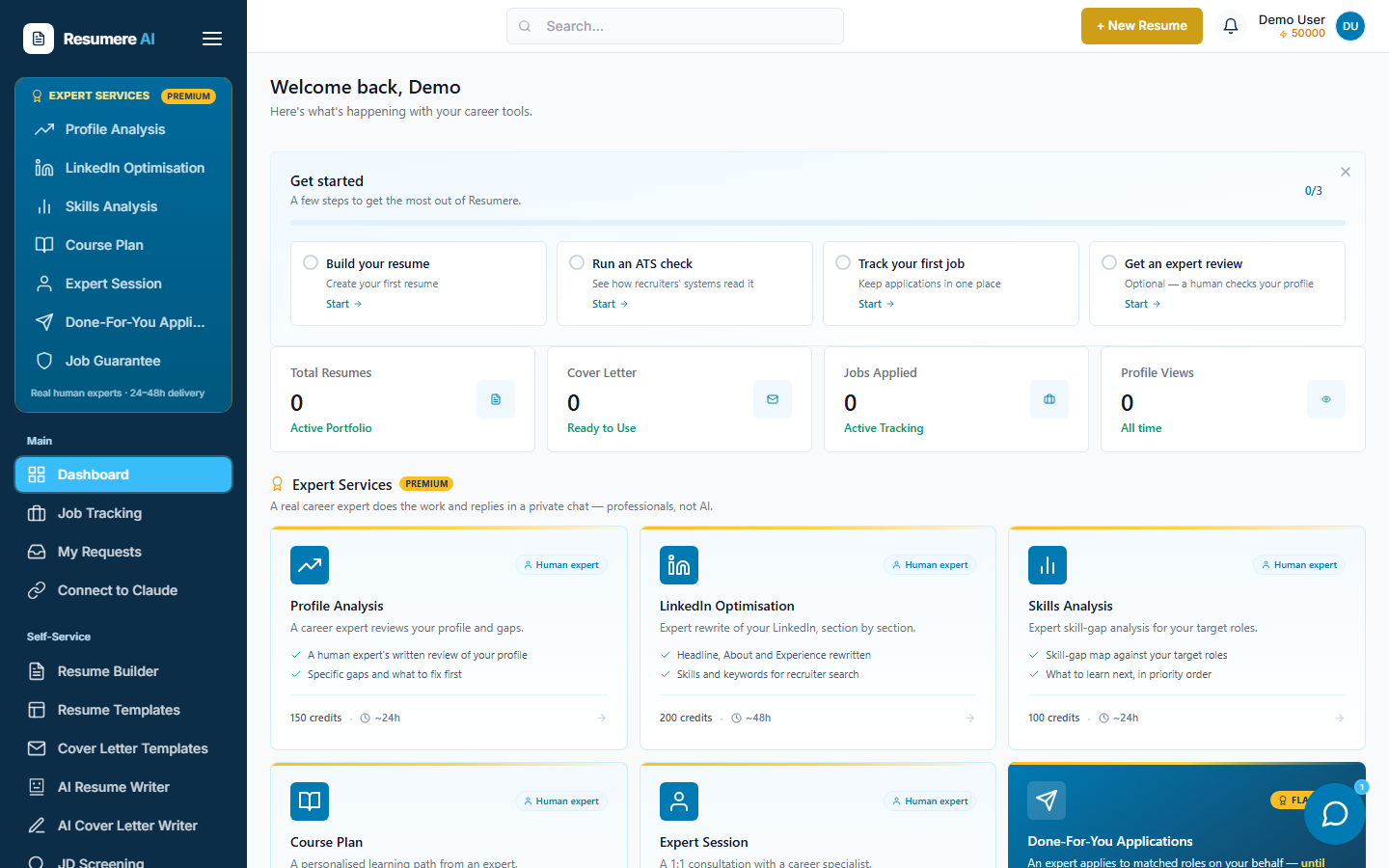
- 1The Expert Services panel in the sidebar
02Open Course Plan
In the left sidebar, under the gold Expert Services panel, click Course Plan. This opens the service page where you submit your goals for a personalised learning path.
- 1Click 'Course Plan'
03Tell the expert your goal
Pick one of your saved resumes, or paste a portfolio / LinkedIn URL. In the note, describe where you want to go — the transition or role you're targeting, and any skills you already know. That's what the learning path is built around.
What your expert delivers
- Courses matched to your goals
- A sequenced learning path to follow
- A private chat to ask follow-up questions
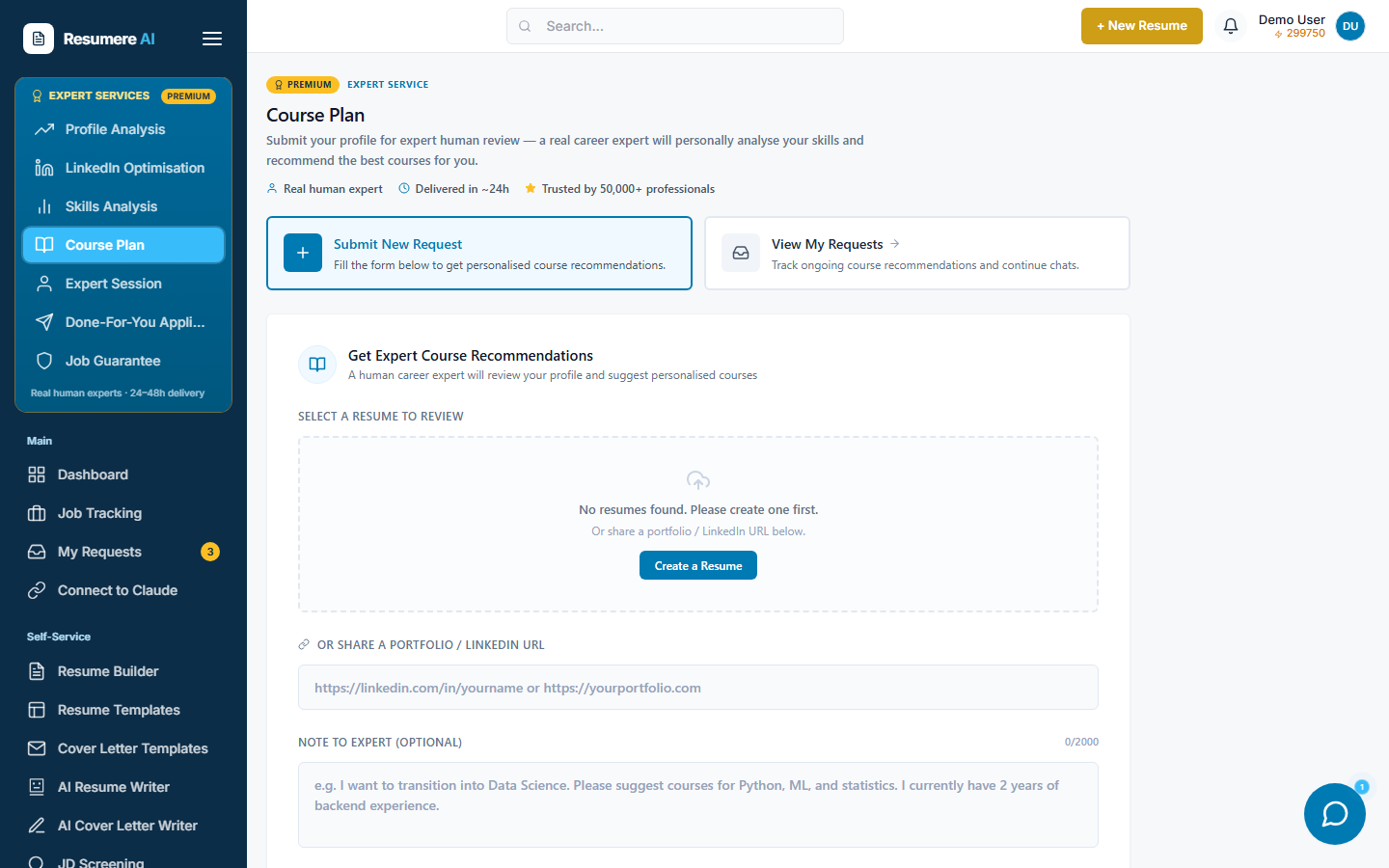
- 1Select a saved resume, or paste a profile / portfolio URL
- 2Describe your goal and current skills in the note
- 3What the plan covers
04Submit for expert review
Scroll down and click Submit for Expert Review. The button shows the exact credit cost. It's charged once from your Resumere credits wallet, and your request is created immediately.
05Top up credits if prompted
If your wallet doesn't cover the service, a Top Up Credits window opens showing how much you need. Pay by card or UPI. As soon as the top-up succeeds your request is submitted automatically — you don't have to click Submit again.
06Follow your learning path
You land on your request page. It shows the status, what you submitted, and a private chat with your expert. Your expert builds your path and replies in the chat — typically within about a day — with the courses to take and the order to take them in.
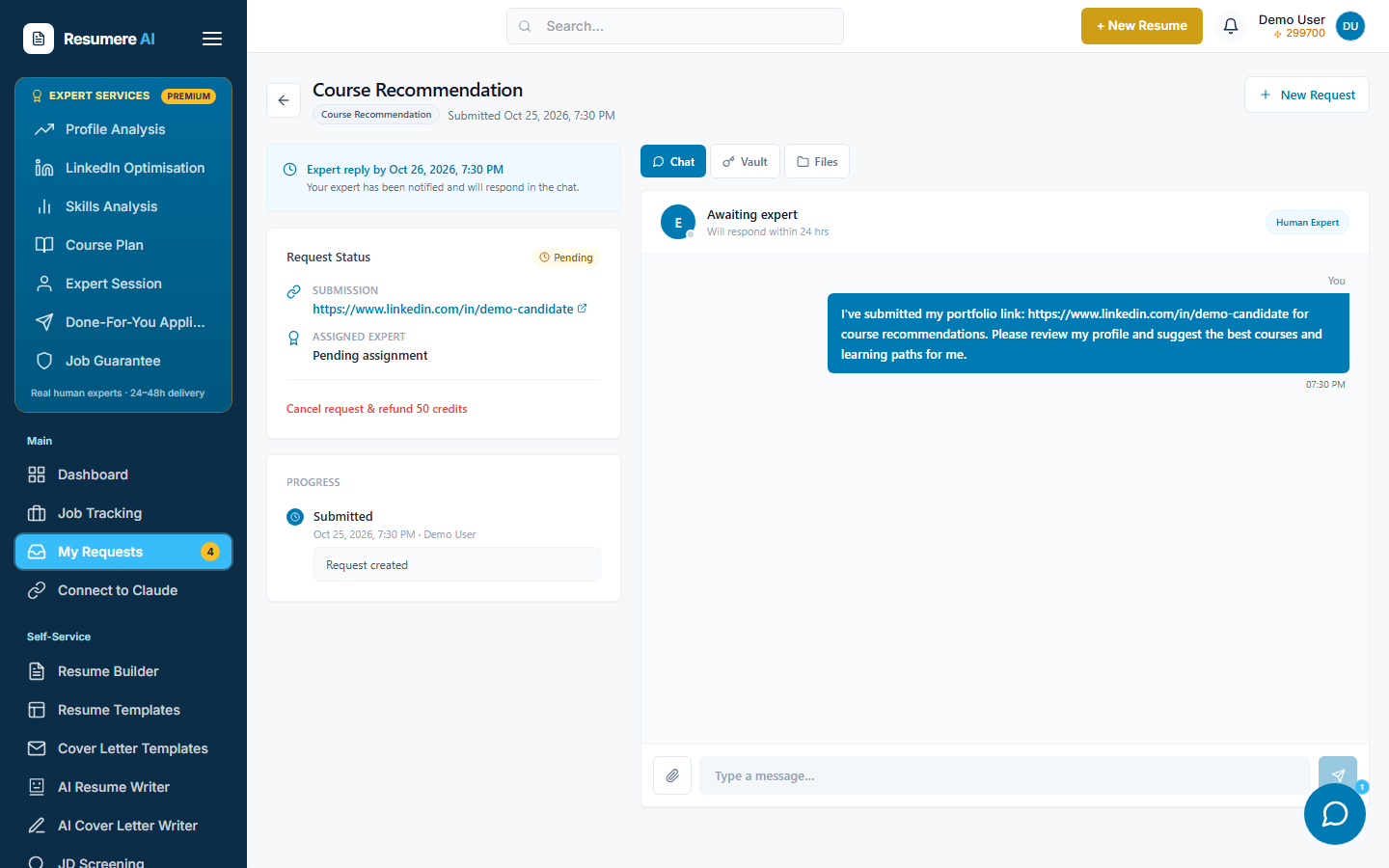
- 1Request status and what you submitted
- 2The process, step by step
- 3Private chat with your expert
07Find it later under My Requests
Your plan lives under My Requests. Open it any time to revisit the recommendations and continue the conversation. You'll get a notification when your expert replies.
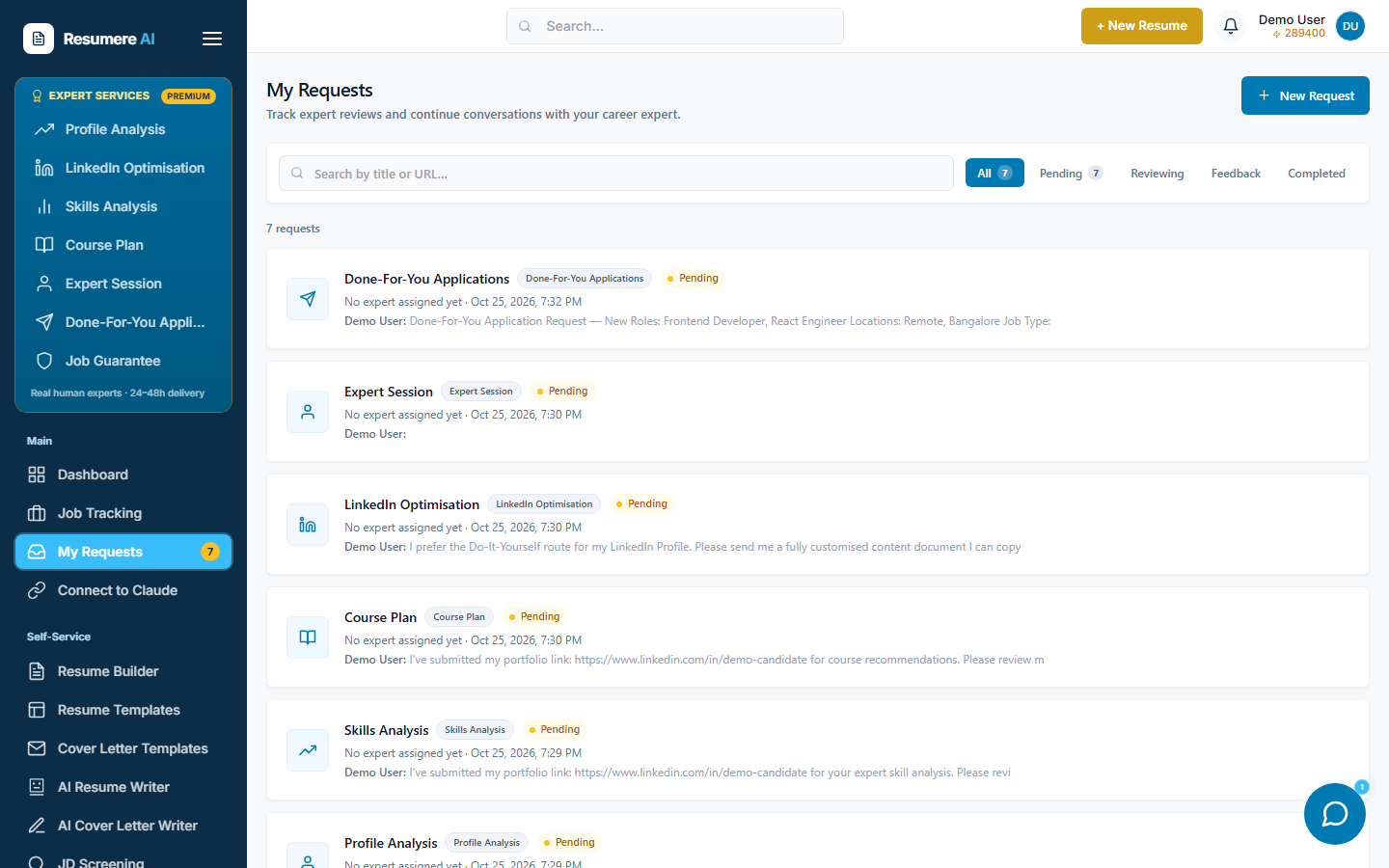
- 1Every expert request, newest first — open one to chat
- 2Filter by status: Pending, Reviewing, Feedback, Completed
Frequently asked questions
- Is the Course Plan built by a human?
- Yes. A real career expert builds your learning path and replies in a private chat — it is not an auto-generated list.
- What do I need to submit?
- A saved resume or a portfolio / LinkedIn URL, plus a short note describing your goal, the role you're targeting and the skills you already have.
- How do I pay?
- It's paid once from your Resumere credits wallet (1 credit = ₹1). The exact cost is shown on the Submit button. If your balance is short, a Top Up Credits window lets you add credits by card or UPI, and the request is then submitted automatically.
- How long does it take?
- Your expert is notified as soon as you submit and typically replies within about a day. You'll get a notification when the plan is ready.
- Where do I find it later?
- Open My Requests in your dashboard. Your Course Plan is listed there — open it to revisit the recommendations and continue the chat.
Not sure what to learn next?
Get a personalised learning path from an expert, from your dashboard in minutes.